See what it does.
Tap through the tools. Everything here moves the way NullKit moves your layers.
Every caption, one click.
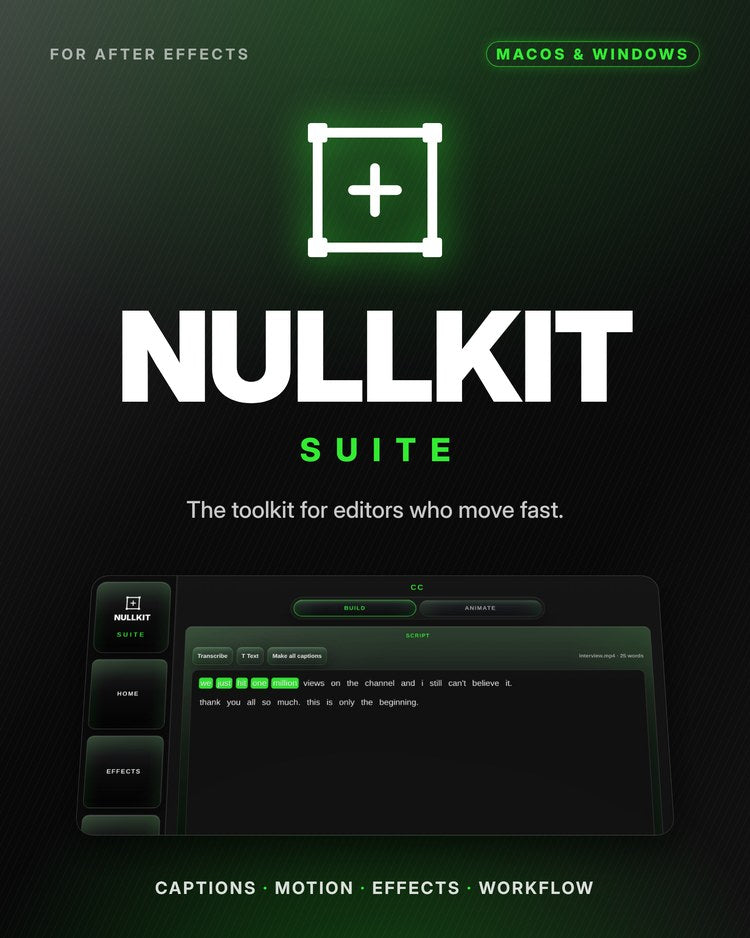
Transcribe the clip right on your computer, then Make all captions builds every line on the beat of the voice.
- Local transcription, English and Spanish
- Characters per line, one or two lines
- Active-word color and background box
- Native text layers and keyframes, no expressions
115 caption animations.
Full Lines, Punch Words and Vibes, sorted into Pop, Slide, Fade, Spin and Flip. Select your captions, tap one, and it lands at the playhead.
- Keyframes only: your timeline stays clean and fast
- Applies to every selected layer at once
- Favorites for the ones you use every edit
Shakes that hit.
Impact and Flow shakes built from keyframes on an adjustment layer, with flash, directional blur and turbulence one click away.
- Impact for hits, Flow for handheld drift
- Movement, direction and strength controls
- Save your own shake presets
Curves without the graph editor.
Pick a curve and it goes on your selected keyframes, or drag the handles to make your own. The outlines show where the layer sits on each frame.
- Ease In, Ease Out, Speed Ramp, S Curve, Linear
- Keyframe tools: S, IN, OUT and strength
- Save your own curves to the grid
The boring stuff, in one tap.
Quick layers, anchor points that land exactly where you click, trims, and beat markers from your music.
- Null, Adjustment, Solid, Text, Camera, PreComp
- 9-point anchor grid without moving the layer
- In/Out point trims, split layer, beat markers
- Fit to frame, center guides, trim comp to work area
Interactive previews, recreated in your browser. Real panel screenshots below.
One panel. Everything in reach.
Four pages, docked right next to your timeline. Pick your own accent color in Settings.


Built for the way you actually edit.
Made in the edit bay on real client work, for editors who cut fast and still want it to look expensive.
Transcription built in
Transcribes right on your Mac or PC, in English and Spanish, with word-level timing. No per-minute fees, no uploads.
Make all captions
Characters per line, one or two lines, Pop, Fade, Slide up or Type on, active-word color, background box with padding and roundness.
115 caption animations
Full Lines, Punch Words and Vibes. Keyframes only, so projects stay light and render anywhere.
Caption layout
9-spot move, X/Y and scale sliders, stack with spacing, and one font change for every caption at once.
Camera shake + flash
Impact and Flow shakes, flash, directional blur and turbulence, with your own saved presets.
Effects search
Every effect you have installed, searchable, with favorites one tap away.
Ease curves
Ease In, Ease Out, Speed Ramp, S Curve and your own curves, plus keyframe strength.
Workflow tools
Quick layers, anchor points, trims, beat markers, sort project, export frame and a session timer for billing.
Pay once. Keep it.
No subscription. Buy NullKit Suite and it's yours.
- CC: transcription, Make all captions, caption layout tools
- 115 keyframe caption animations
- Camera shakes, flash, blur and turbulence
- Effects search and favorites
- Ease curves and keyframe tools
- Workflow tools: quick layers, anchor points, trims, beat markers
Questions.
Does it work on Mac and Windows?
Yes. NullKit Suite runs in Adobe After Effects on macOS and Windows, and your download includes both versions.
Do the captions use expressions?
No. Captions and caption animations are native text layers and keyframes, so your project stays fast and nothing breaks when you hand it off or render somewhere else.
Do I pay for transcription?
No. Transcription runs on your own computer, so there are no per-minute fees and your footage never gets uploaded.
How do I get it after I buy?
Right after checkout you get an email with your download link and license key. Pick the Mac or Windows version, follow the included install steps, then open After Effects and go to Window > Extensions > NullKit Suite.
Is it a subscription?
No. It's a one-time purchase.
I need help.
Email nullkitsuite@gmail.com.